
Stay Close to Your Child's Learning Journey
Track progress, discover weak spots, enable/disable lessons for your kid, get AI-powered advice, and send virtual nudges, all from a dedicated parent dashboard built to keep you in the loop.
How It Works
The parent dashboard keeps you effortlessly connected to your child's learning, no chasing, no guessing.
Register & Subscribe
Download the QuranLingo app and subscribe to Plus from inside the app via Google Play or the App Store — or register and subscribe directly at parents.quranlingo.app. Both paths give you instant access.
View Real-Time Progress & Weak Spots
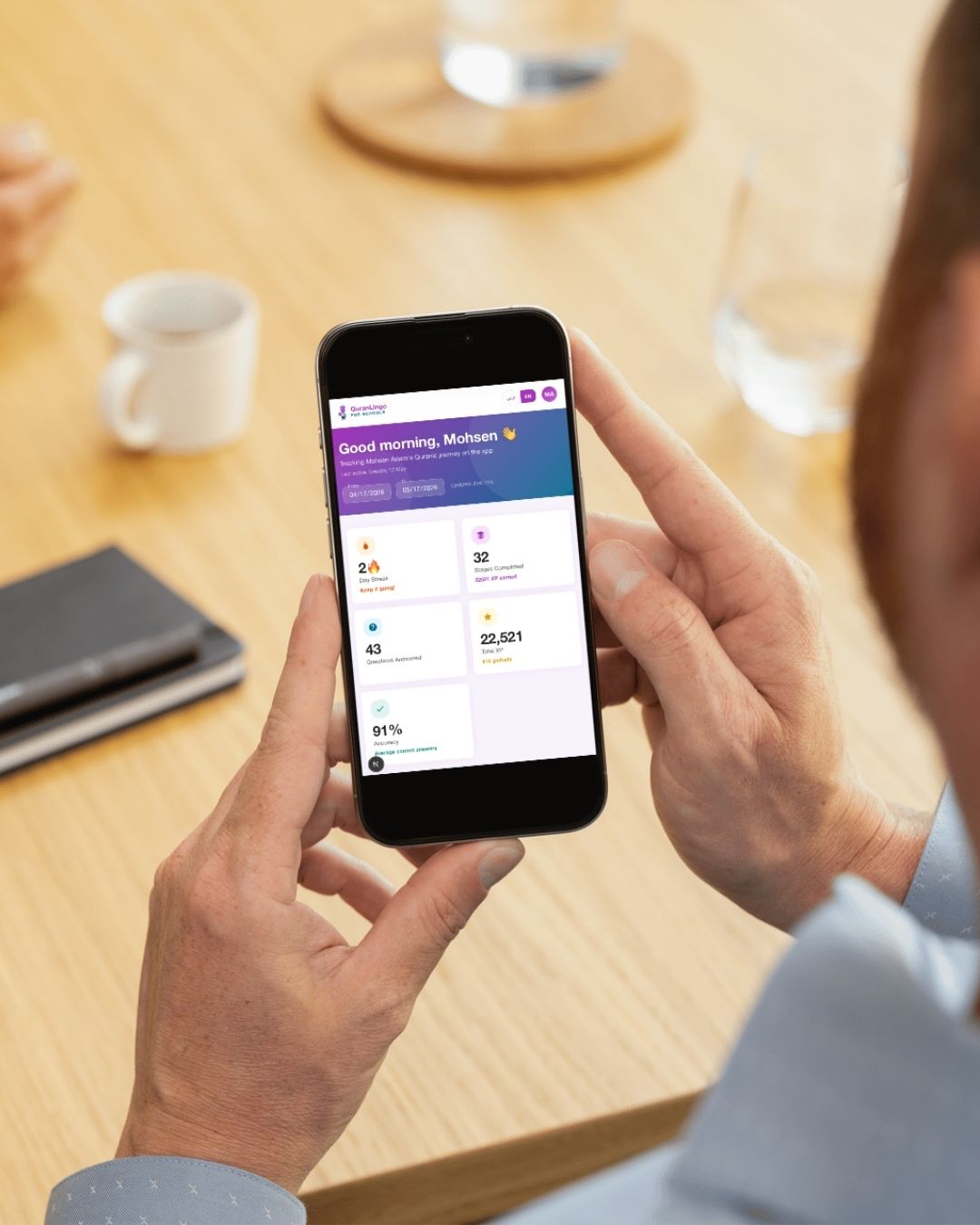
Access your dedicated parent dashboard to see XP earned, lessons completed, daily streaks, and overall Quran learning progress, live. Also, Our AI analyses your child's performance and highlights exactly where they struggle — giving you targeted, personalised advice on what to focus on.
Control your Kid's Learning Journey
Enable or disable Surahs, Stages, Questions or even units for your kid to make the learning Journey suits their targets.
Send Nudges & Motivation
With one tap, send a virtual nudge or motivational message directly into your child's QuranLingo app. They'll see it right away, even mid-lesson.
Try It: Send a Nudge
Pick an emoji, type your message, and send it straight to your child's app, just like the real thing.
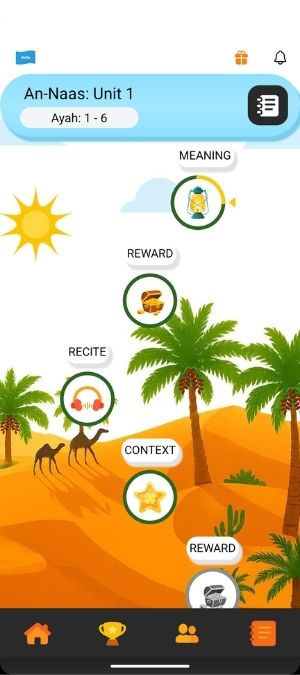
Everything a Parent Needs
Designed so you can support your child's Quran journey without becoming their teacher, the tools do the heavy lifting.
Live Progress Dashboard
Choose what your child will learn, and see their progress, XP earned, lessons completed, and streaks, all updating in real time from a beautiful, easy-to-read dashboard.
Weak Spot Analysis
Our AI continuously monitors your child's responses and surfaces the exact topics and rules where they're struggling, so you always know where to focus.
AI-Powered Advice
Receive tailored, actionable guidance on practice routines, activities, and encouragement techniques personalised for your child's unique learning style.
Virtual Nudges
Send motivational messages and gentle reminders directly into the QuranLingo app. Your child sees them the moment you send, encouraging without interrupting.
Learning Streak Tracker
Monitor daily practice habits, celebrate milestones together, and help your child build the consistent routine that makes Quran learning stick for life.
Multi-Child Support
Manage multiple children from a single parent dashboard. Switch between kids instantly, perfect for families where siblings learn together.
Your Dashboard, Wherever You Are
Whether you're at work, at home, or commuting, the parent dashboard travels with you. Stay in the loop on your child's Quran journey from any device.
Live Progress Updates
XP, streaks, and completed lessons sync the moment your child finishes an activity.
AI Insight Cards
Personalised advice on what your child should work on next, served daily.
One-Tap Nudges
Send your child a motivational message straight to their app, no phone calls needed.
Streak Alerts
Get notified if your child is about to lose their streak so you can step in and encourage them.
Two Ways to Get Access
Subscribe from inside the app via Google Play or the App Store, or register and subscribe directly on the web — both activate your parent dashboard instantly.
Subscribe via the App
- 1.Download the QuranLingo app and register with the email you will use for the parent dashboard.
- 2.Inside the app, open Settings and subscribe to QuranLingo Plus via Google Play or the App Store.
- 3.Sign in to your parent dashboard using the same account — access activates instantly.
Download the app now:
Register on the Web
- 1.Visit parents.quranlingo.app and create your account.
- 2.Subscribe to QuranLingo Plus directly on the website — no app required.
- 3.You're in. Log in from any device and your parent dashboard is ready.
Log In to Your Parent Dashboard
Visit parents.quranlingo.app and sign in with the same account. Your child's progress will be waiting, live and up to date.
Need Help? We're Here
If you run into any issues during setup, our support team is ready to help. Contact support →
Keep Up with What's New
Drop your email below and we'll let you know about new features, improvements, and updates to the parent dashboard.

Be Part of Your Child's Quran Journey
Join thousands of parents staying connected to their child's learning — one nudge at a time.